The Client Experience Collection · Vol. 01
Booked & Onboarded
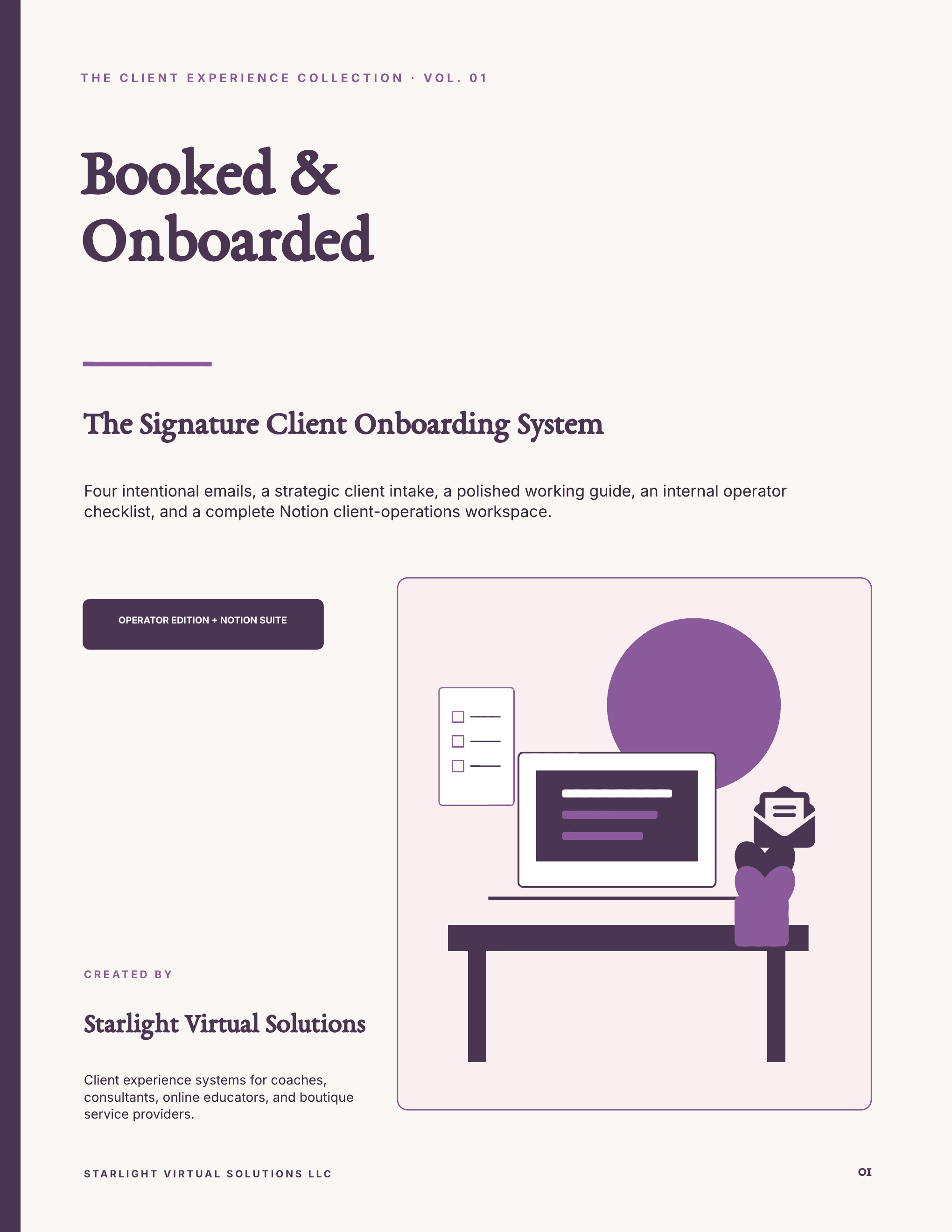
The Signature Client Onboarding System + Notion Client Operations Suite
Turn every new-client yes into a clear, premium start, then keep onboarding, active delivery, requests, approvals, reviews, renewals, and offboarding in one connected system.
$29One-time digital product · private download emailed after payment
- PowerPoint
- Word
- CSV
- Markdown
91Operator Edition pages
20Quick-Start pages
10Notion-ready databases
35Onboarding cards
The whole client journey
A clear client experience that keeps going after kickoff.
Move from a polished welcome into visible delivery, controlled requests, approvals, reviews, renewal, and offboarding.
- 01Signed
- 02Welcome
- 03Intake
- 04Kickoff
- 05Delivery
- 06Review
- 07Renew or close
- 01Know what to send as soon as a client says yes
- 02Set communication, scope, approval, and response expectations
- 03Keep requests, decisions, milestones, and next updates visible
- 04Protect renewals, handoffs, access removal, and offboarding dates
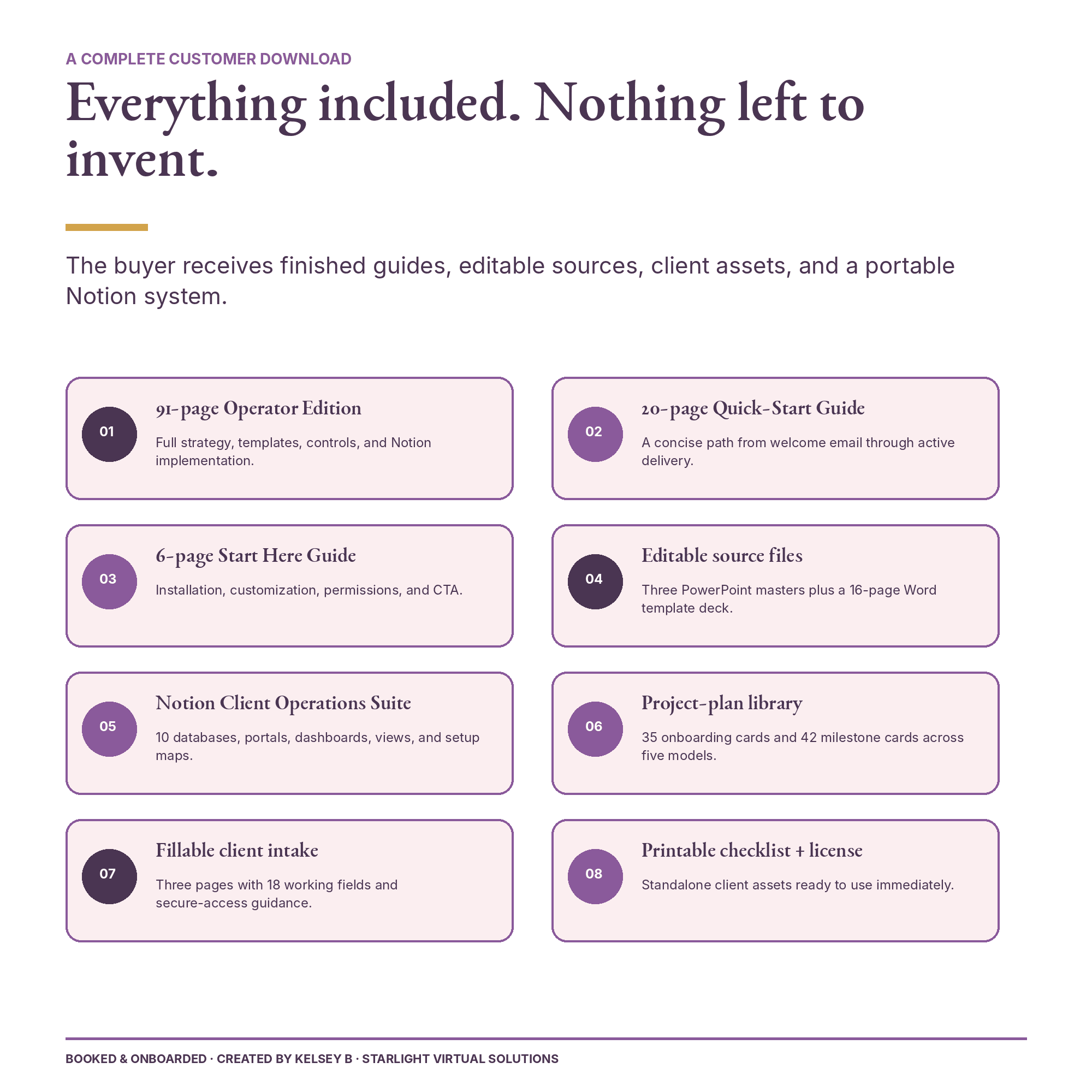
The complete customer download
Open Start Here. Then build the depth you need.
Open the six-page Start Here guide first, then choose the depth and files your business needs.
- 01
91-page Operator Edition
Strategy, templates, implementation notes, internal controls, bonus toolkit, and Notion setup.
- 02
20-page Quick-Start Guide
A shorter path through the welcome emails, intake, packet, checklist, and operating layer.
- 03
6-page Start Here Guide
Your file map, installation paths, portal QA, customization notes, and support information.
- 04
Buyer-editable PowerPoint files
Editable versions of the Operator Edition, Quick-Start Guide, and Start Here Guide.
- 05
16-page Word template deck
Copy-and-paste client emails, intake language, welcome copy, and implementation templates.
- 06
Notion Client Operations Suite
10 databases, 35 onboarding cards, 42 project-plan cards, dashboards, portals, maps, and QA guides.
- 07
Standalone client assets
A 3-page fillable intake questionnaire with 18 fields and a printable onboarding checklist.
- 08
License, security + file checks
Single-business terms, password-safety guidance, a manifest, and SHA-256 checksums.
Included in the same purchase
Take the short route—or open the full playbook.
The Quick-Start gets the essential client experience in place. The Operator Edition connects the client-facing pieces, internal controls, and Notion workspace when you are ready to go deeper.
- 91 pages
- Complete Operator Edition
- 20 pages
- Focused Quick-Start Guide
- 3 masters
- Buyer-editable PowerPoint files
One purchase. One connected system.
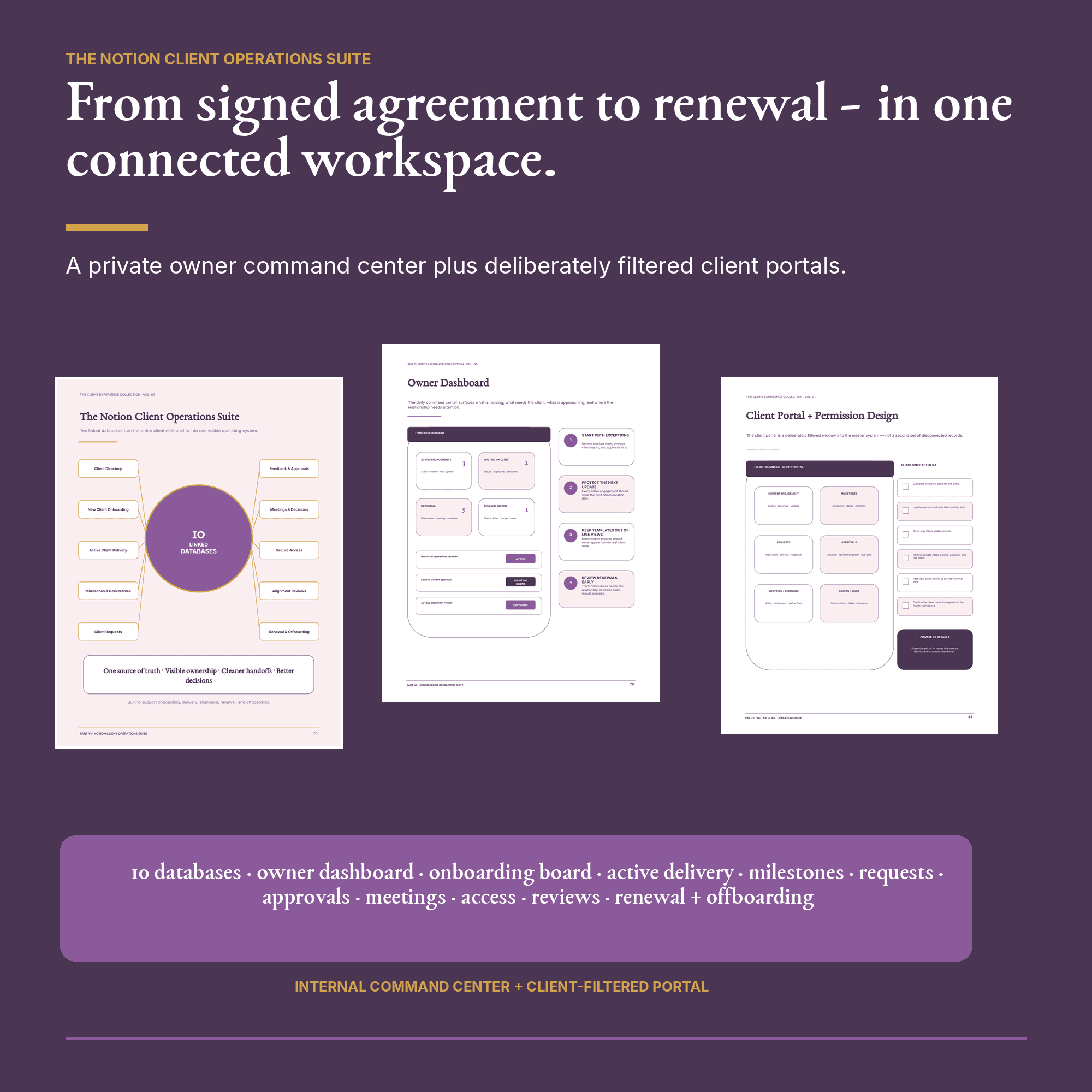
No separate Operator upgradeThe Notion Client Operations Suite
Keep the operator view private and the client view focused.
The import pack gives you the content and maps for onboarding, active delivery, milestones, requests, approvals, meetings, access, reviews, renewal, and offboarding.
- 10Notion-ready databases
- 35Onboarding cards
- 42Plan + milestone cards
- 5Engagement types
Important: this is a guided CSV and Markdown installation, not a promised one-click duplicate. Those files preserve content and page structure, but Notion relations, property types, formulas, rollups, linked views, automations, and permissions may need to be rebuilt manually with the included setup guides.
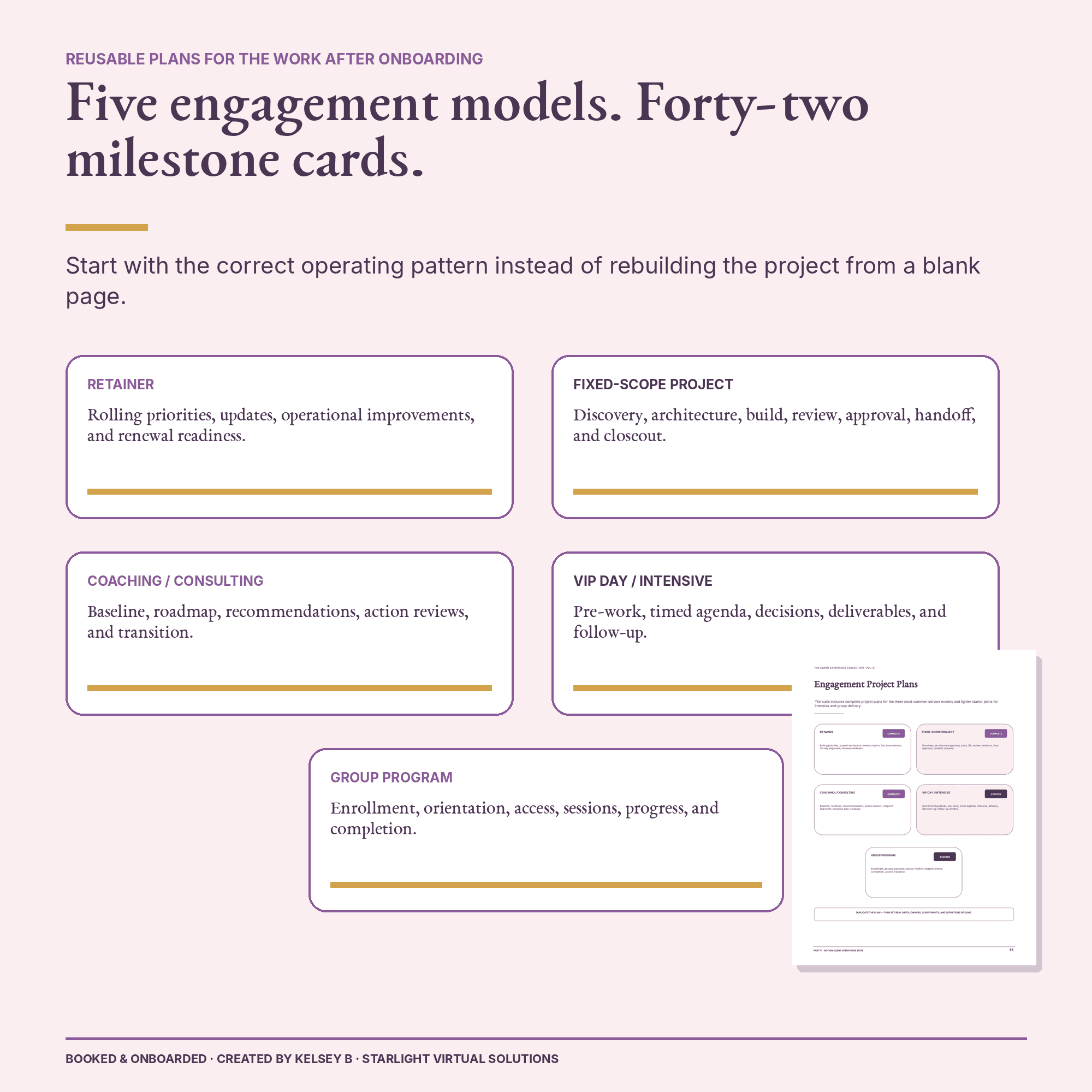
Plans for the work after onboarding
Choose the plan closest to the way you already work.
The operating system works alongside your existing CRM, scheduling, payment, communication, and project tools. Notion is the included workspace—not a requirement for the client-facing emails and documents.
RetainerComplete
Fixed-scope projectComplete
Coaching / consultingComplete
VIP day / intensiveStarter
Group programStarter
- Coaches + consultants
- Online educators
- Virtual support teams
- Fractional operators
- Creative studios
- High-touch service businesses
Ready now Finished files
Built to customize once and reuse
Use the finished files now. Make the sources your own.
- 01
Protect your master
Keep one untouched copy, then duplicate the editable files before changing anything.
- 02
Make it sound like you
Replace the evergreen business details and client-specific placeholders once, then reuse them.
- 03
Install the operating layer
Import the Notion files and follow the included maps to reconnect workspace-specific features.
- 04
Test before you share
Filter each portal to one client and Client Visible records, then check links and permissions as a non-owner.
Before you buy
The practical details.
A self-guided digital system with clear setup help, honest platform limits, and a single-business license.
How much does Booked & Onboarded cost, and how is it delivered?
$29, one time. There is no subscription and no separate upgrade—the Operator Edition, Quick-Start Guide, editable source files, and Notion suite are all in the same purchase. After payment through Stripe, a private ZIP download link is emailed to you and stays valid for seven days. The files are yours to keep.
Does this replace a CRM or project platform?
No. The client-facing emails and documents are platform-agnostic and can be adapted to the tools you already use. The Notion workspace is an included operating option.
Is the Notion suite a one-click template?
The guaranteed delivery path is a downloadable import pack with 10 CSV databases, Markdown page templates, field maps, relationship maps, view instructions, automation guidance, and portal-permission QA—not a promised one-click public duplicate.
What may need to be restored in Notion?
Notion-specific property types, relations, formulas, rollups, linked views, automations, and permissions may need to be reconnected. The included setup guides map that work, and every client portal should be tested from a non-owner view before sharing.
What software do I need?
You can read the PDFs anywhere. Editing requires software that can open PowerPoint and Word files. The included workspace requires a Notion account and the guided import steps.
Can I customize this for direct clients?
Yes. One purchaser may customize the client-facing copy, branding, and individual portals for direct client delivery within one purchaser-owned business.
Where do I start after downloading?
Open the six-page START HERE guide in the Start Here folder first. It maps every file, the installation paths, portal QA, and customization notes, then points you to either the 20-page Quick-Start Guide or the full 91-page Operator Edition.
Is personal implementation support included?
The product is self-guided. You may book a free 20-minute Discovery Call with Kelsey to discuss whether hands-on support is a fit. Contact us to get started.
Is this legal, tax, privacy, compliance, or cybersecurity advice?
No. These are general operational templates. Adapt them to your agreements, tools, data practices, and applicable requirements, and consult a qualified professional when needed.
What is the digital product return policy?
No physical item is shipped. Because the downloadable files are delivered digitally, change-of-mind sales are final after access is delivered. Review the Digital Product Refund Policy before purchasing.
Booked & Onboarded
Give the next client a clear start. Keep the work behind it under control.
Turn every new-client yes into a clear, premium start, then keep onboarding, active delivery, requests, approvals, reviews, renewals, and offboarding in one connected system.
$29
One-time digital product · private download emailed after payment